
Project estimator
A quote built from the drawing, not from a guess
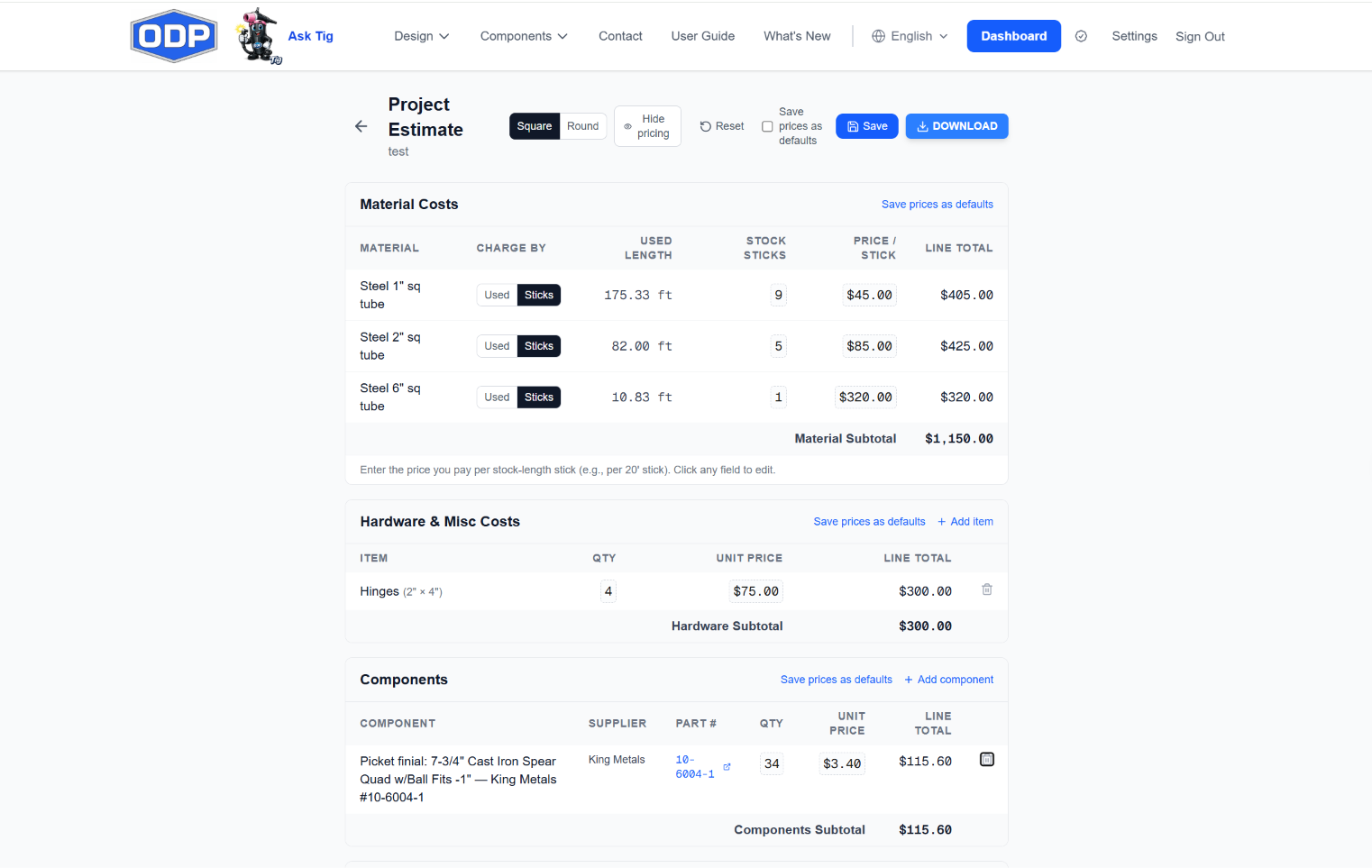
Materials by stick or by length, hardware, library parts with supplier part numbers, labor, powder coating, and markup. Your prices, saved once, applied to every job.
Why it's accurate
The quantities come from the geometry. You only supply the prices
Because the estimate is generated from the same design as the cut list, a change to the picket spacing or the gate width changes the material count, the stick count, and the total, all at once.
- Stock sticks are counted from the used length, so the material line reflects what you order, not just what ends up in the gate
- Library components carry their real supplier and part number into the estimate
- Save prices as defaults and the next job starts with your numbers already in place
What's on the estimate
Six sections, every one editable
Materials
Every tube and bar size from the cut list, with the used length and the number of stock sticks it takes. Charge by the stick or by the foot, and enter what you actually pay per stick.
Hardware and misc
Hinges, latches, wheel boxes, and anything else you add, with quantity and unit price
Components
Finials, scrolls, and caps from the library come through with the supplier, the part number, and the count the drawing uses.
Labor
A rough starting estimate of fabrication hours from the design, with rolling time added for arched work, at your shop rate. Override the hours on any line with what you know the job takes.
Powder coating
A finishing line priced the way your coater quotes it, editable per job
Markup and notes
Set the markup percentage, add job notes, and choose whether the customer copy shows line-item pricing or just the total.
How it works
Three steps from a drawing to a number you can stand behind
- 1
Design it
Draw the gate with Tig or by hand. The estimate is built from the same design as the cut list.
- 2
Enter your prices once
Type what you pay per stick, your labor rate, and your markup, then save them as defaults. The next estimate starts filled in.
- 3
Send it
Export the estimate as PDF or Excel, with or without pricing shown, or bundle it into the job package with the drawings and mockup.
The estimator comes with ODP Full Access, and every new account starts with a 7-day free trial of full access, no credit card required. The unpriced quantities behind it are the cut list.
Quote the job from the drawing
Start a 7-day free trial of full access. No credit card required.
No credit card to start. No charge unless you choose a plan.