
Download & export
Export the whole job package from one place
Every drawing, the bend sheet, the photo mockup, the cut list, and the estimate. Grab a single file or the entire package, in the format you need.
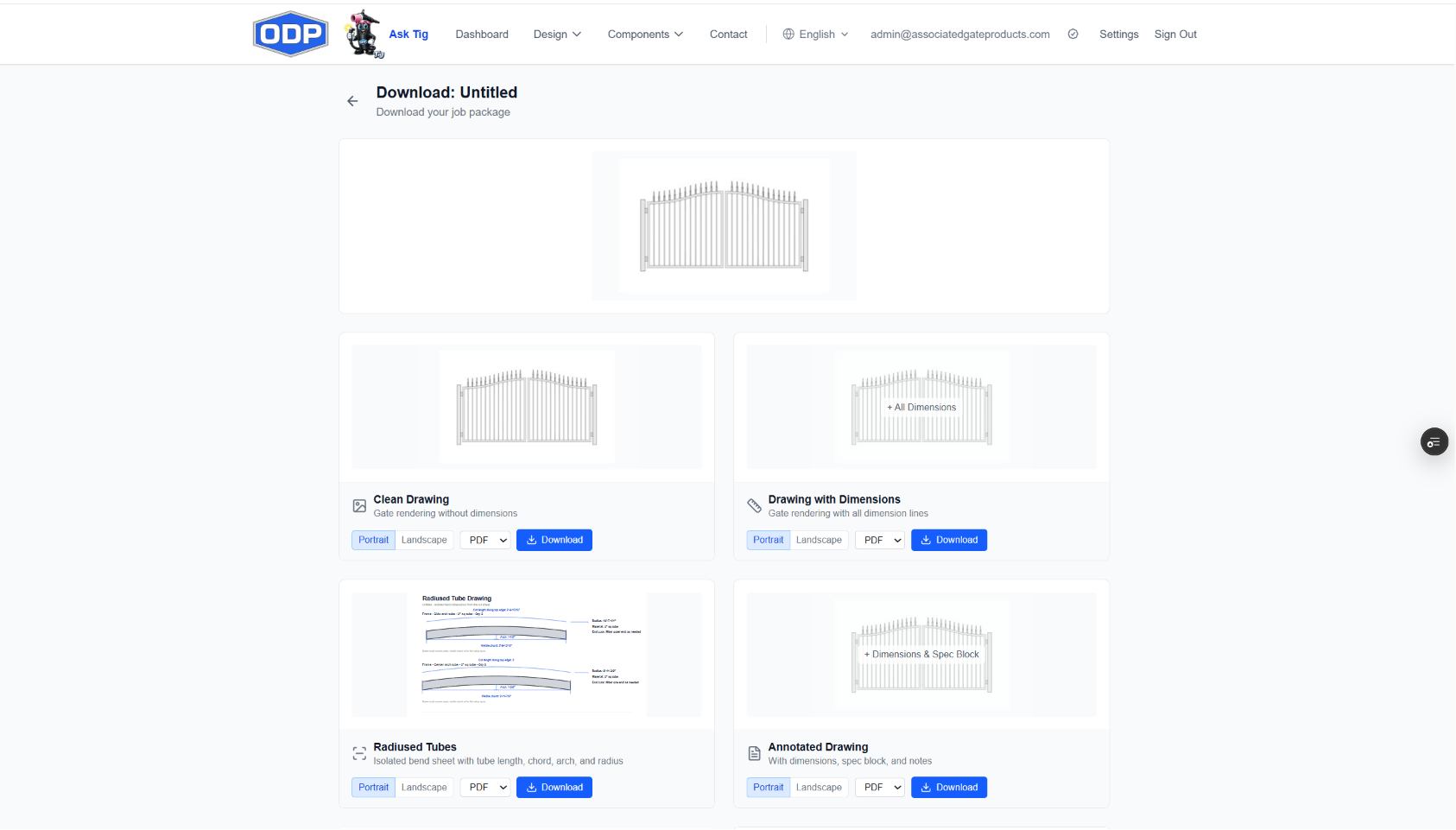
Everything in one place
Pick exactly what you need for each job, or bundle it all into one package
Clean Drawing
The gate, fence, or handrail rendered on its own — no dimension lines. A clean, presentation-ready view for the customer.
Dimensioned Drawing
The same drawing with every dimension line — overall size, openings, picket spacing, post sizes, and more
Annotated Drawing
Your annotation work exported as-is: dimensions, the spec block, arrows, and any notes you added
Radiused Tube Drawing
An isolated bend sheet for arched and camelback designs — each curved tube with its length, chord, arch height, and bend radius so your bender is set exactly right.
Photo Mockup
Your design dropped into a real photo of the customer's property, perspective-matched into the opening — the easiest way to close the sale.
Cut List
The full material & cut list: frame, rails, pickets, hardware, miter angles, bend radii, and a purchase summary by stock size.
Estimate
The priced quote — materials, hardware, components, powder coat, labor, and markup — exportable with or without line-item pricing.
Your format, your orientation
Drawings as PDF, DXF, SVG, PNG, or JPEG. Lists and quotes as PDF or Excel
Drawings export portrait or landscape. Cut lists and estimates export as PDF or Excel.
Print-ready
DXF
CAD & plasma
SVG
Vector
PNG
Transparent
JPEG
For emails
Excel
Lists & quotes
Branded for your shop
Exports carry your company logo and the customer's information, so every drawing, cut list, and estimate goes out looking like it came straight from your shop — not a generic tool.
The whole package, one click
Download a single file, or bundle the drawings, bend sheet, photo mockup, cut list, and estimate into one job package — each file in the format you choose.
How it works
Three steps from a saved design to a job package
- 1
Design & save
Build your gate, fence, or handrail, annotate it, and save it to your dashboard.
- 2
Pick what you need
Open Download from the design card and choose your drawings, bend sheet, mockup, cut list, and estimate — and the formats.
- 3
Export
Download each file or the whole package — ready for the customer, the shop floor, or your plasma table.
Designing, annotating, and previewing every deliverable is free. Exporting and downloading is unlocked by ODP Full Access — and every new account starts with a 7-day free trial of full access, no credit card required.
Professional job packages in minutes
Start a 7-day free trial of full access — download everything, no credit card required
No credit card to start. No charge unless you choose a plan.