
Annotation
Turn a gate design into a professional shop drawing
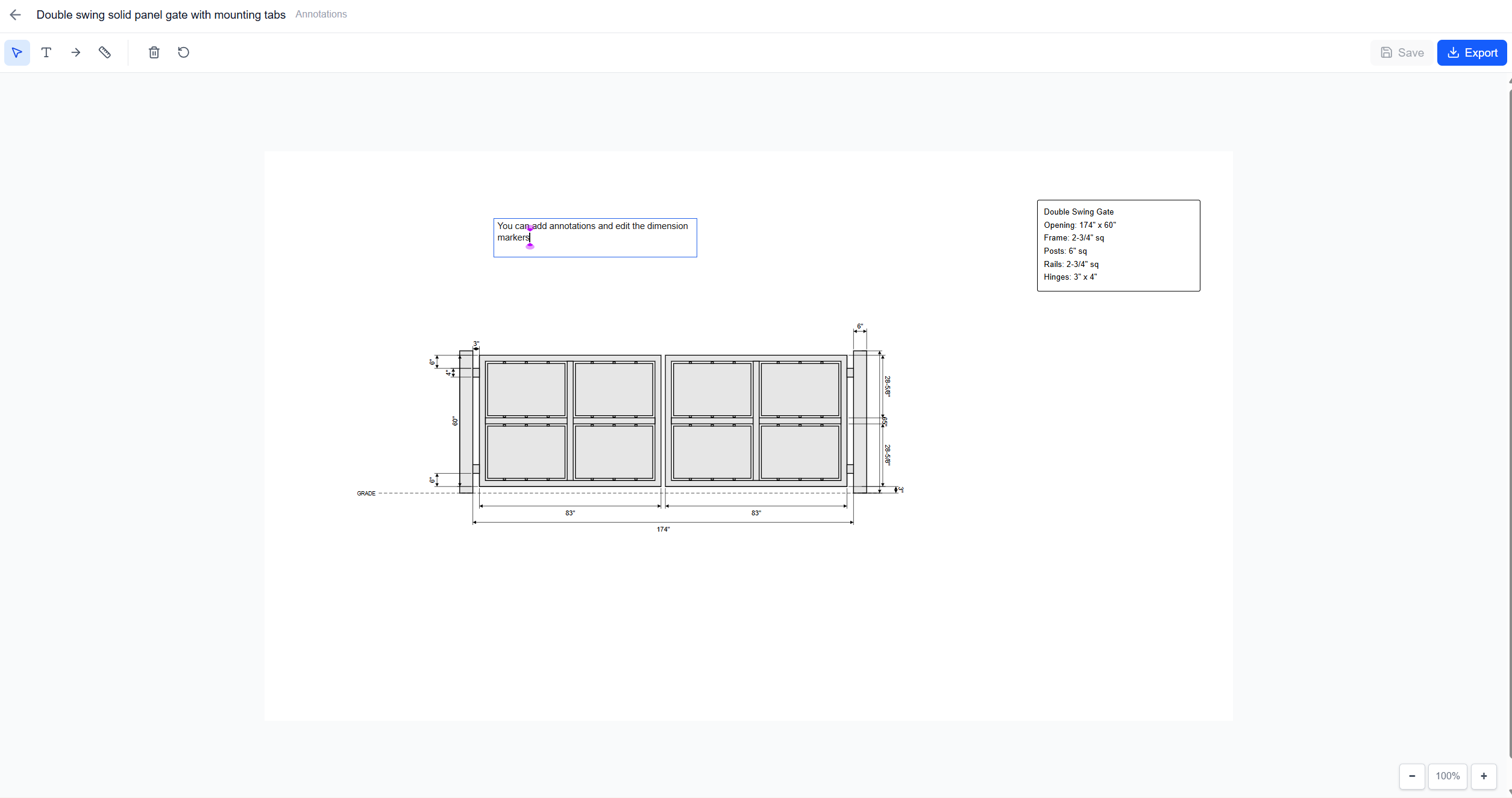
Dimensions, spec blocks, arrows, and notes are generated from your design and stay fully editable
What you get
Everything a customer or a shop needs to read the drawing
Auto-generated dimensions
Dimensions are calculated automatically from your gate configuration — overall width, height, picket spacing, post sizes, and more. No measuring or manual entry required.
Spec block
A specification block is generated automatically with gate type, opening dimensions, frame sizes, picket specs, and rail details. Double-click to customize the text.
Text & arrow annotations
Add custom text labels and arrows to call out specific details. Point out hinge locations, latch positions, decorative elements, or installation notes.
Custom dimensions
Draw your own dimension lines for measurements not covered by the auto-generated set. Values snap to the nearest 1/16" for fabrication accuracy.
How it works
Three steps from a saved design to an annotated drawing
- 1
Open
Click “Annotate” on any saved design from your dashboard.
- 2
Annotate
Dimensions and spec block appear automatically. Add custom text, arrows, or dimensions as needed.
- 3
Save
Your annotations save with the design and stay editable — drag, tweak, or reset them anytime.
Want components in your drawings that aren't in the catalog? Send us the supplier and part number and our team draws it into your component library — usually within a few days.
See the component library →Professional drawings in minutes
Sign up for free and start designing. No credit card required.
No credit card to start. Already have an account? Log in